Game help
Lagos Life login and loading help
Recover a forgotten password by email; a reset link lasts one hour. For a login cookie problem inside Instagram, open Safari or Chrome. For a loading error, use the game’s Try again or Reload control.
Updated
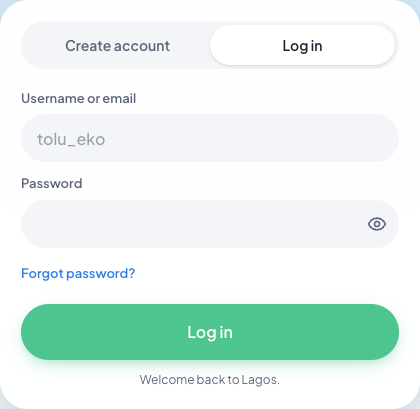
For Lagos Life login recovery with an account email, use Forgot password?. If that fails, contact reset@lagoslife.app from the attached email. Without an account email, the game directs you to @Shalom_HeyEliy on X with your username.
On this page
Match the Lagos Life login problem to the next step
| Symptom | Next step |
|---|---|
| The game keeps loading | Wait for the current request, then use the game’s retry control if offered. If another website also fails, check your connection first. |
| Login works inside a social app but will not stay | Open the official link in your regular browser and sign in there. |
| Password rejected | Check the username and use the game’s Forgot password? option. A wiki cannot reset the account. |
| A new or empty Sim appears | Check the username and official domain. Do not create another account as a repair step. |
| A purchase appears missing | Keep the receipt and payment reference, then contact the operator through the official game. Avoid buying again until the status is clear. |
Keep the exact message before changing anything. A rejected password needs account recovery; a page that never finishes loading needs a connection or browser check. Once you can sign in, a wrong balance belongs to the missing-money checklist rather than another password reset.
Wrong password or wrong Lagos Life account?
The Lagos Life login needs the registered account username. A password manager can select another saved account, producing an unfamiliar home, career and wallet even when login succeeds. Compare the username before treating that life as lost progress.
If the correct account rejects your password, use Forgot password?. For a familiar account with only one missing transaction, use the missing-money and progress checks. Resetting the password cannot explain a rent deduction or move furniture out of storage.
Recover a Lagos Life password with email
- Open the login screen at lagoslife.app and choose Forgot password?.
- Follow the username or email instructions shown for that account.
- Check the email attached to your account, including its spam folder.
- Read the email’s time before opening the reset link: the game says the link lasts one hour.
- Complete the reset instructions, then return to login with the existing username and the password you have just set.
If the link has expired, return to the recovery flow for a fresh request. If email recovery still does not work, the official help gives reset@lagoslife.app as a fallback. Write from the email address attached to that game account so the request points to the right account.
Lagos Life forgot password without an account email
The official login help directs players without an attached email to @Shalom_HeyEliy on X and asks for the game username. Include the rejected-login message and explain that email recovery is unavailable for that account.
For an account that does have email, use the attached address, spam folder and one-hour reset link first. The email fallback is reset@lagoslife.app, sent from the address attached to the account. These are two recovery routes for different account setups.
Login fails inside Instagram or another social app
Open lagoslife.app directly in Safari on iPhone or Chrome on Android. The official login help identifies the social app’s built-in browser as a possible cookie problem. Moving to the regular browser lets you use its normal login flow.
- Leave the embedded game page and open your regular browser.
- Type the original game address and choose login.
- Use the existing username and password, then check the account that loads.
If the password is rejected there too, follow the recovery steps above. If the game loads successfully, add a home-screen shortcut afterward; resolve login before creating another shortcut.
Lagos Life not working: loading and repeated purchases
If Lagos Life stays on the loading screen, compare another website on the same connection. If both fail, restore the connection; if only the game fails, keep its error and use Try again or Reload when offered.
If loading failed immediately after a purchase or clock-in, reconnect to the same account and inspect that transaction first. A successful request can leave a stale display. Buying again or starting another action before checking can create a second charge or obscure the original result.
Keep a visible receipt before refreshing. Do not clear all browser data while the account username or recovery method is unknown; that adds a login problem to the loading problem.
When login works but the problem remains
Check your username once you get back in. For missing cash, furniture, a job or an unfamiliar life, follow the Lagos Life progress-recovery checklist. Password recovery solves access; it does not explain which transaction changed your wallet.
For a persistent login error, give official support the username, original domain, browser or phone, and exact message. The original operator can investigate the account. This wiki has no access to passwords or game records, and it cannot confirm a payment or restore a Sim on your behalf.
Sources & updates
- Original Lagos Life game ↗
Sign-in, loading, and password-recovery controls.
- Official login and reset help ↗
Login, email recovery, and help messages checked 7 October 2026. Use the official game for current controls.
- Official terms and support ↗
The game operator handles account and payment issues.